Thermaltake TOUGHLIQUID 240 ARGB Sync AiO Liquid Cooler Review
Introduction:
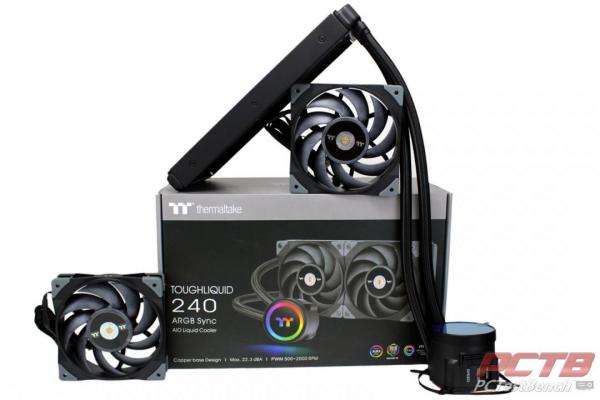
Liquid cooling was a niche for brave enthusiasts not that long ago. Liquid and expensive electronics must be a recipe for disaster right? Well, while you can certainly find some horror stories online, the technology has matured to the point that you can install a high-performance liquid cooler with little more effort than a run-on-the-mill air cooler. Thermaltake’s ToughLiquid 240 ARGB Sync is the result of years of cooling advancements from risky niche hobby to main-stream drop in cooling.
‘Bolt On’ liquid cooling is a great way to achieve maximum performance from the latest processors and Thermaltake’s ToughLiquid 240 ARGB Sync cooler is designed to provide years of maintenance-free cooling without any complexity or worry. Two ToughFan 12 fans provide high-performance cooling with up to 2000 RPM of power and a rotatable cover plate with ARGB Synced lighting keeps it looking classy no matter how you install your cooler. Your system doesn’t have ARGB yet? That’s fine, The ToughLiquid can stand on its own with built-in speed and lighting controls. If you have a little bit larger case to fill, the ToughLiquid also comes in 280mm and 360mm variants as well. Does it perform as well as it sounds? Let’s find out!
PC Test Bench would like to thank Thermaltake for sending over the TOUGHLIQUID 240 ARGB Sync All-In-One Liquid Cooler for us to check out!
Thermaltake’s view on the TOUGHLIQUID 240 ARGB Sync:
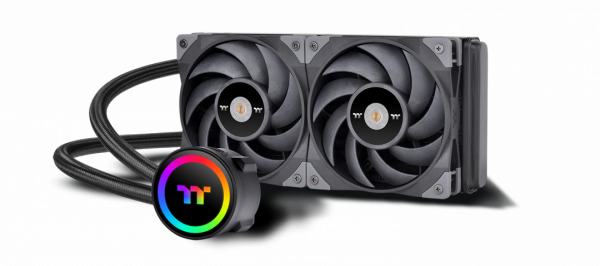
TOUGHLIQUID 240 ARGB Sync AIO Cooler is a TOUGHFAN 12 equipped all-in-one liquid cooler with a built-in controller and rotational cap with 6 LEDs, which can be controlled by 5V RGB compatible motherboards.
Features:
Rotational Cap
TOUGHLIQUID 240 ARGB features a rotational cap that allows users to rotate the cap easily even after installation, so the TT logo faces the right direction to present the overall aesthetic of the build.
Switch Lighting Effects
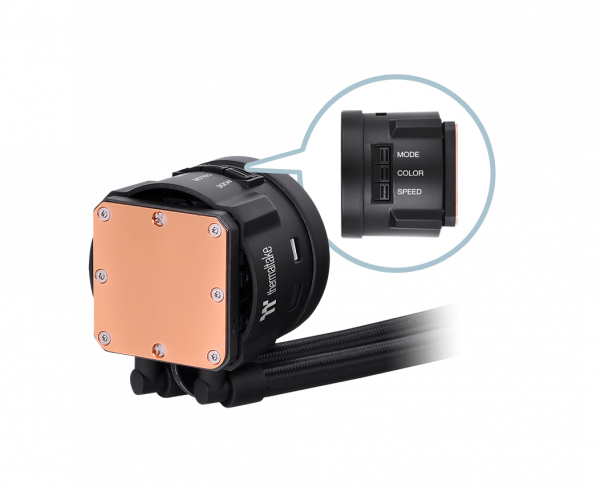
The mirror-finished water block is designed with a built-in controller, which grants easy control of the water block’s lighting mode, speed, and color, creating effortless cable management while enjoying the lighting effects with direct access.
TOUGHFAN 12 Equipped
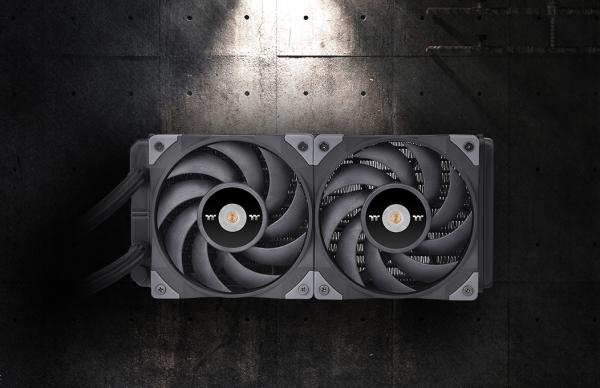
Equipped with two TOUGHFAN 12, the TOUGHLIQUID 240 ARGB Sync now provides a fan speed of up to 2000 RPM, ensuring the best cooling results.
High-Performance Waterblock
The high-performance copper base plate accelerates heat conductivity. The high-quality and reliable pump enables maximum water circulation, keeping the copper plate continuously cool. The low evaporation tube effectively decreases the loss of coolant; therefore no refill is required.
Universal Compatibility
TOUGHLIQUID 240 ARGB Sync All-In-One Water block supports Intel and AMD universal brackets, allowing different CPU users to enjoy fantastic lighting effects after a quick installation.
Quick Specs:
- PUMP
- Speed : 3300 R.P.M
- Rated Voltage : 12 V & 5V
- Rated Current : 0.38A & 0.26A
- Power Input : 4.56W & 1.3 W
- WATER BLOCK
- Material : Copper
- FAN
- Dimension : 120 x 120 x 25 mm
- Speed : 500~2000 R.P.M
- Noise Level. : 22.3 dB-A
- Rated Voltage : 12 V
- Rated Current : 0.12A (one fan)
- Power Input : 1.44W (one fan)
- Air Flow. : 58.35 CFM
- Pressure. : 2.41 mm-H2O
- Connector : 2510 – 4 Pin
- TUBE
- Length : 400 mm
- Material : Rubber
- RADIATOR
- Dimension : 273 x 120 x 27 mm
- Material : Aluminum
- COMPATIBILITY
- Intel
- LGA 2066/2011-3/2011/1366/1200/1156/1155/1151/1150
- AMD
- AM4/AM3+/AM3/AM2+/AM2/FM2/FM1
- Intel
A Closer Look
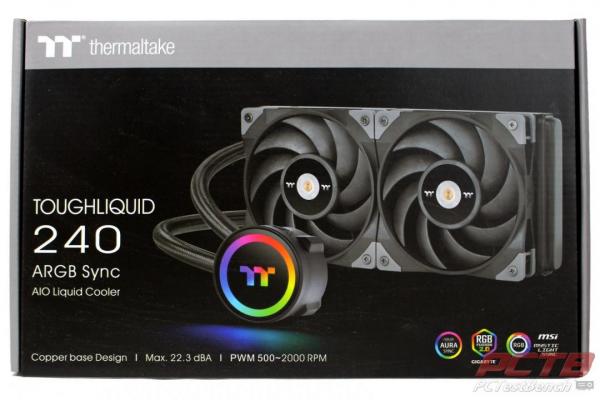
Thermaltake’s ToughLiquid 240 ARGB Sync comes in a colorful box with a picture of the cooler on the front.
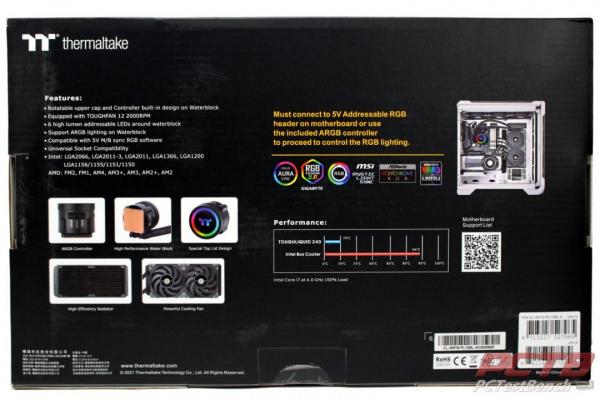
Features and specs are highlighted on the rear with matching color pictures.
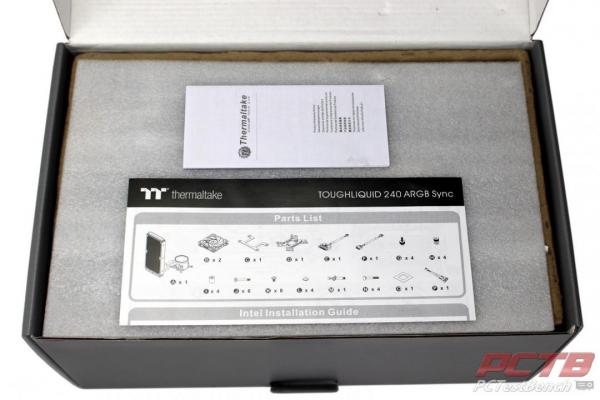
Inside, the ToughLiquid comes in a paperboard crate with foam protecting it. The paperwork lies on top.
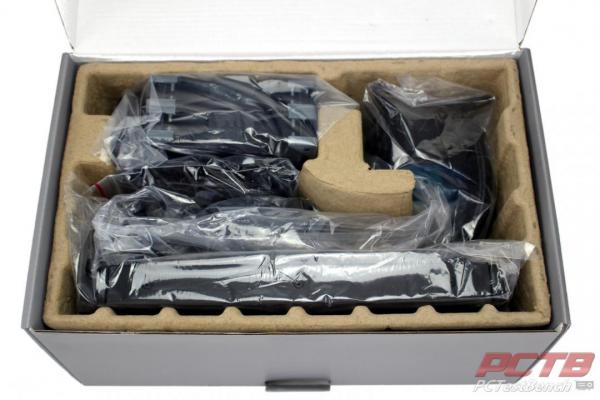
Everything is cradled in its own compartment and is protected with plastic.
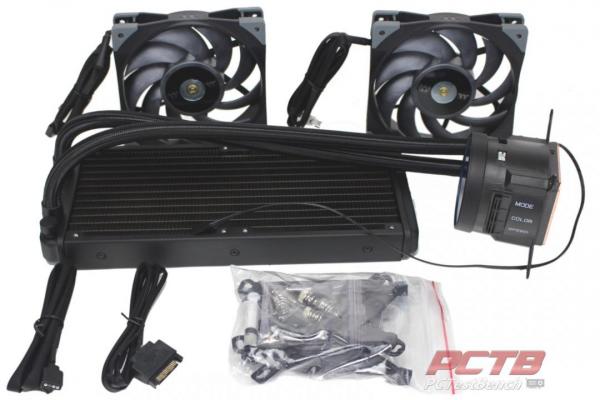
You get the ToughLiquid ARG Sync Cooler, Two 120mm ToughFan’s (on this 240mm model), a few cables, and a baggie of mounting hardware.
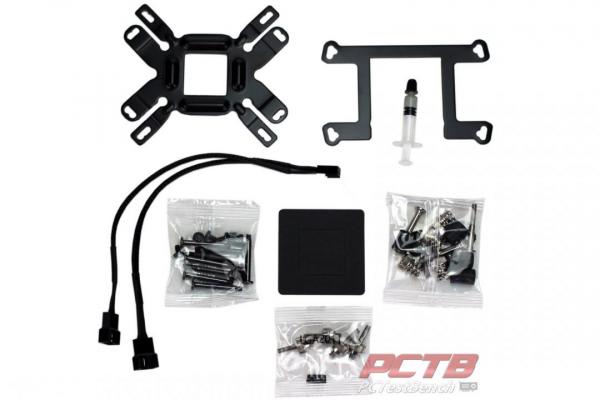
Inside the hardware, the bag is the AMD mounting bracket, universal backplate, a fan splitter, and hardware required for mounting.
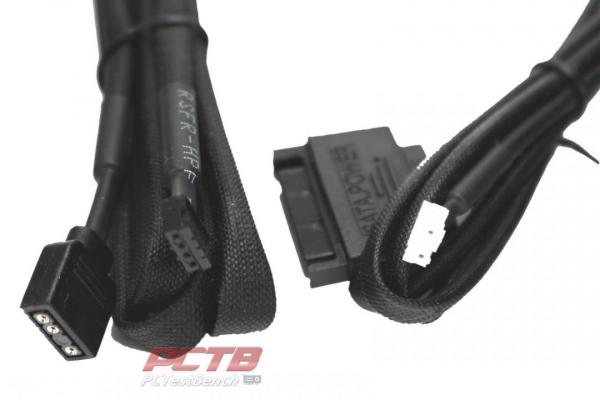
The included cables are an RGB Sync Input cable for running your lighting in Sync with the rest of your system and auxiliary power input from a SATA power connector. Different installation scenarios require different cables so be sure to read the manual carefully before connecting anything.
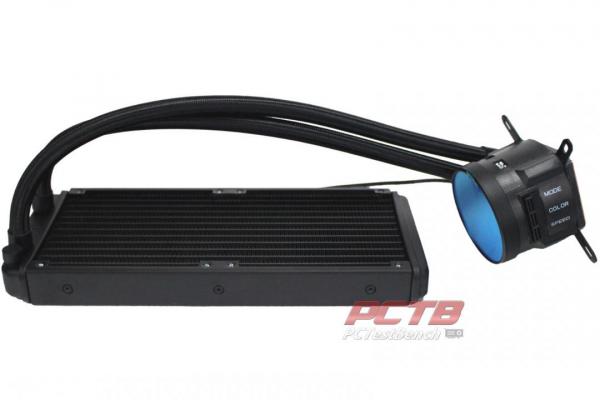
Like most All-in-One coolers, the ToughLiquid is a pump and block assembly connected to a radiator and pre-filled. Short of mounting fans and plugging in power, the cooler is ready to go the second it comes out of the box.
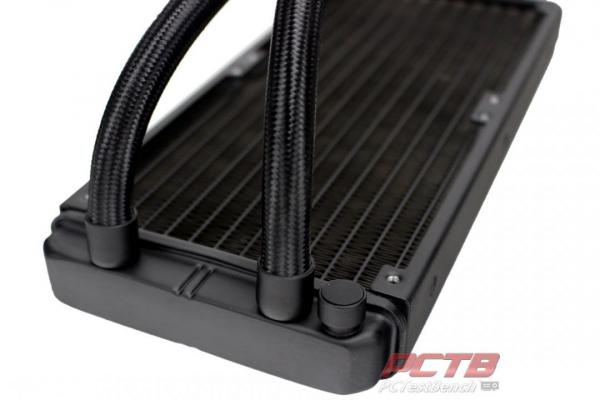
The nylon braid-covered tubing is permanently attached to the radiator while a stand-alone fill port sits adjacent. This appears to be designed not to be user-refillable.
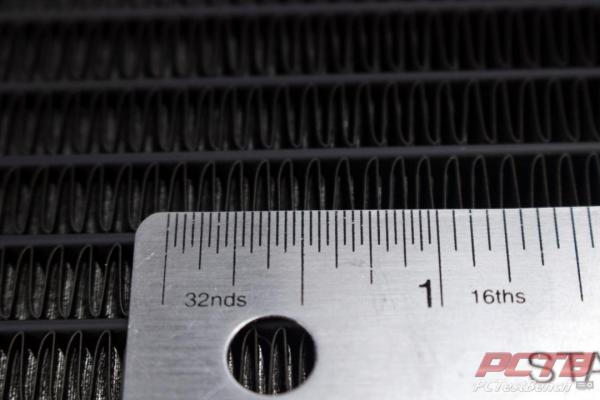
The aluminum radiator has a fin density of around 19 FPI which is pretty typical of a high-performance radiator.
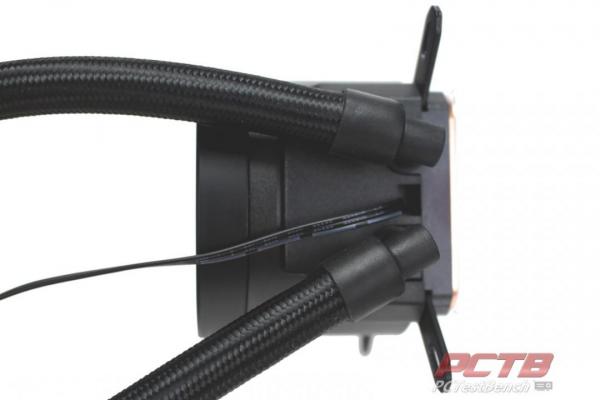
The water block and pump assembly has the same permanently mounted tubes but are attached to rotary 90-degree fittings so that the tubing direction can be adjusted. Main pump power comes through the fixed 3-pin fan plug.
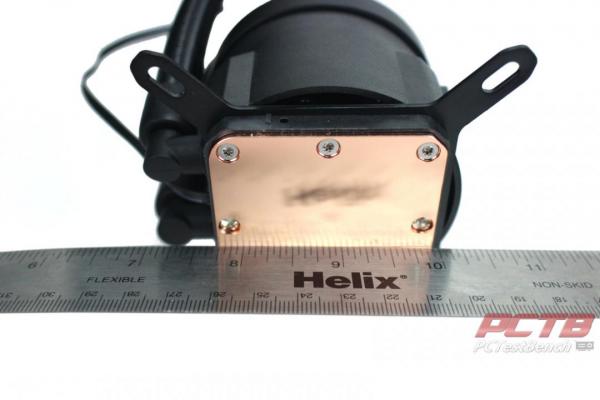
The business end of the cooler is solid copper and is a polished and very flat surface that is wide enough to cover all supported heat spreaders entirely. This is very important for performance.
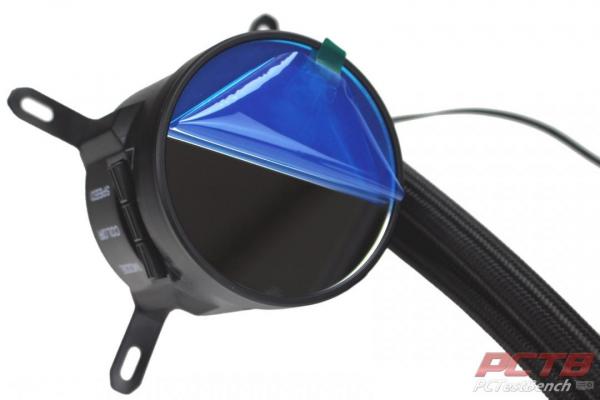
The block has a mirror cover that is protected with a blue scratch protective film…
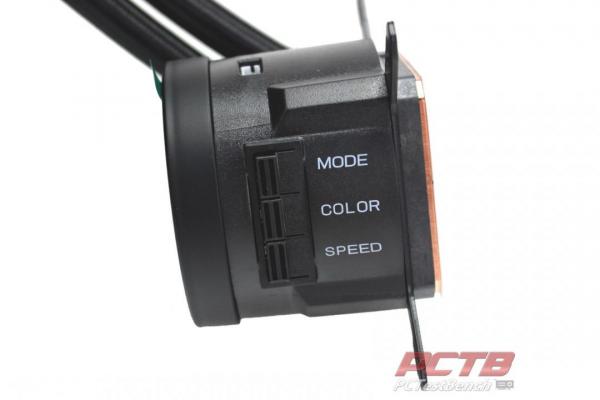
Opposite the tubing connections are three buttons. The ToughLiquid ARGB is capable of fully standing on its own so three buttons let you adjust pump speeds and lighting right from the block.
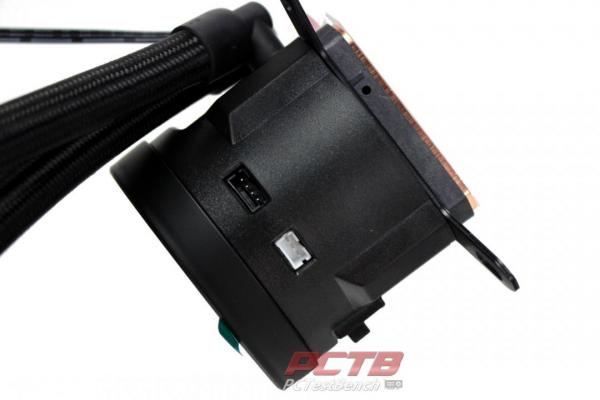
That being said, it can be connected to your motherboard or another RGB source to perfectly sync up with the rest of your system.
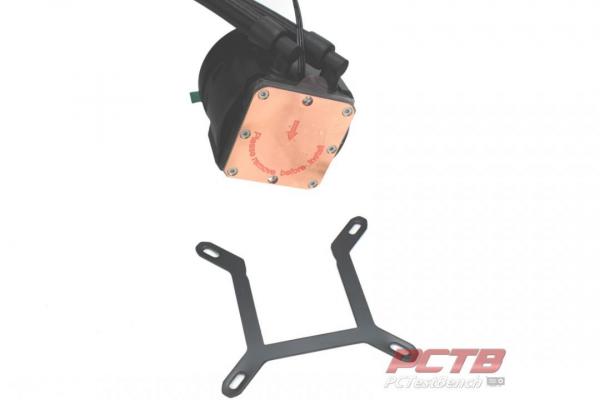
The ToughLiquid Cooler comes out of the box setup for Intel sockets, but an AMD bracket can be swapped in by just sliding the Intel bracket out the side and replacing it with the AMD bracket.
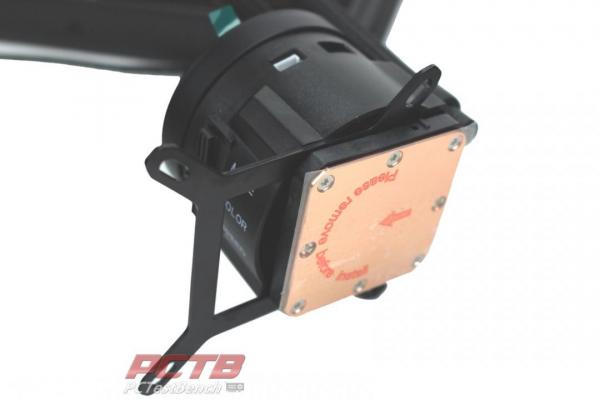
Channels around the cooler’s base let the bracket just slide into place easily with no tools.
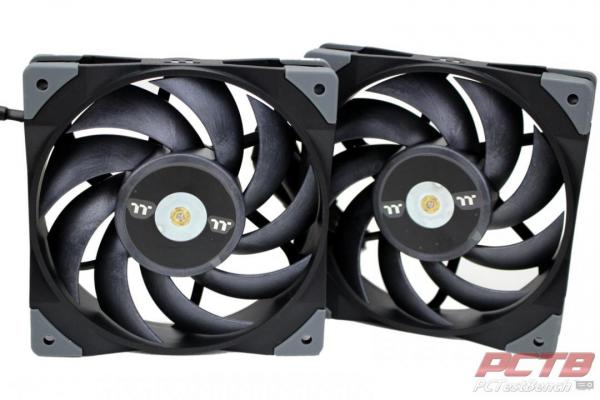
A lot of the cooling muscle of the ToughLiquid Cooler comes from the included high-performance ToughFan 12’s
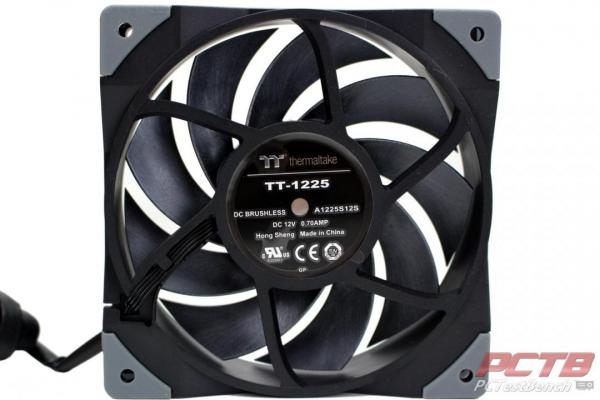
Each TouthFan 12 can run at a speed of 500-2000 RPM and at full tilt can provide a bit over 2.4mm H2O static pressure and almost 60 CFM. These fans are designed for use of radiators and will do well with the 19 FPI radiator.
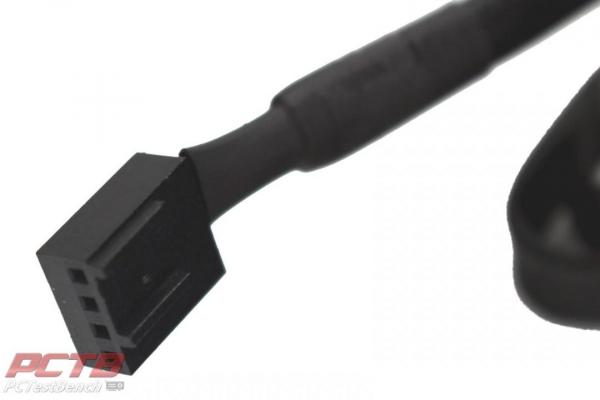
Each fan is PWM Controlled.
System Installation & Testing
Test Platform:
CPU – Intel Core i9-10900K
Mobo – Asus ROG Strix Z490-I Gaming
RAM – 16GB (2x8GB) Viper Elite II 4000MHz
GPU – Nvidia RTX 2080Ti Founders Edition
SSD – Corsair MP600 2TB
PSU – Corsair SF750 750W
Chassis – Sliger Cerberus X
All testing is performed at default settings except for enabling XMP
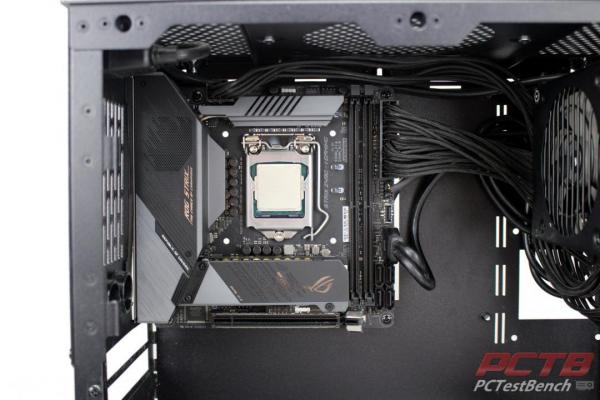
Installation is pretty straightforward. Our case has a cutout behind the board that makes it easy to get to the rear of the socket, so we’ll go ahead and mount it in the case and wire it up, along with installing the CPU and Storage.
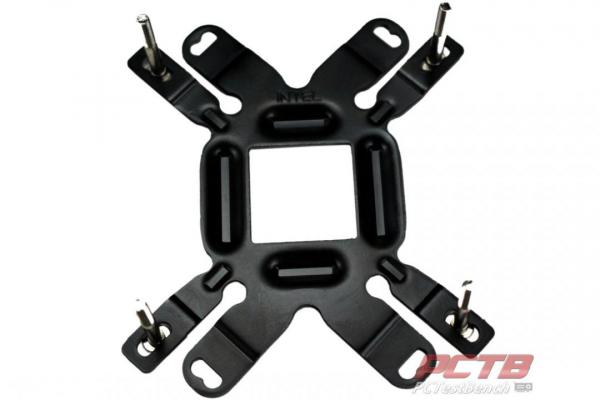
With the universal backplate oriented with the Intel logo facing you, install the mounting studs in the appropriate positions.
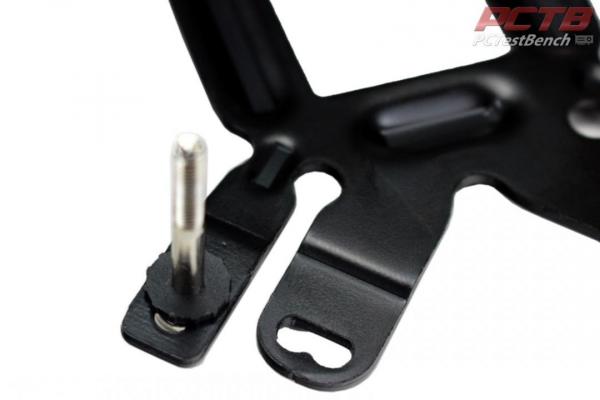
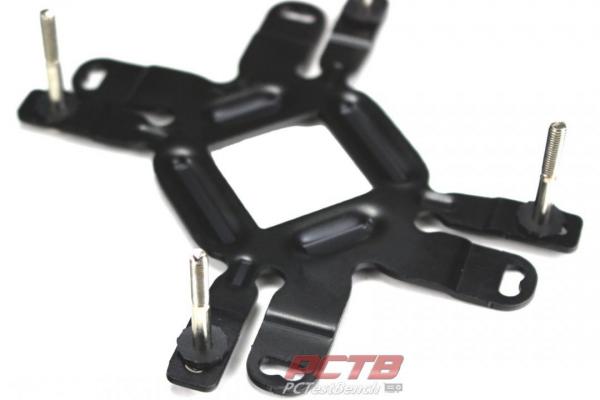
Plastic washers go on next to prevent shorts.
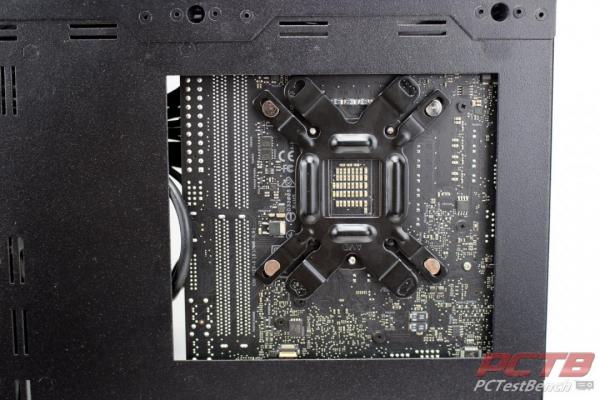
The entire assembly just pokes through the holes in the motherboard and sits against the socket backplate.
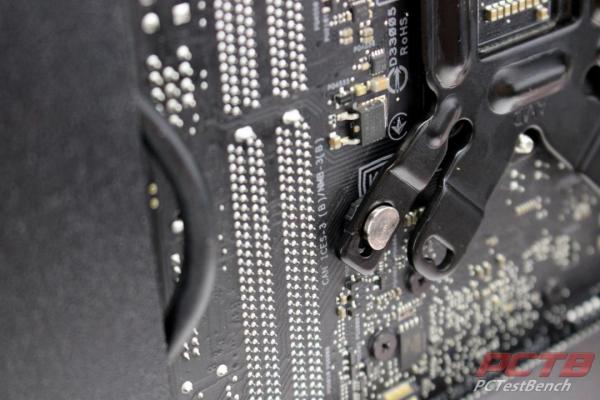
The socket backplate and plastic washers keep the metal bracket from touching anything.
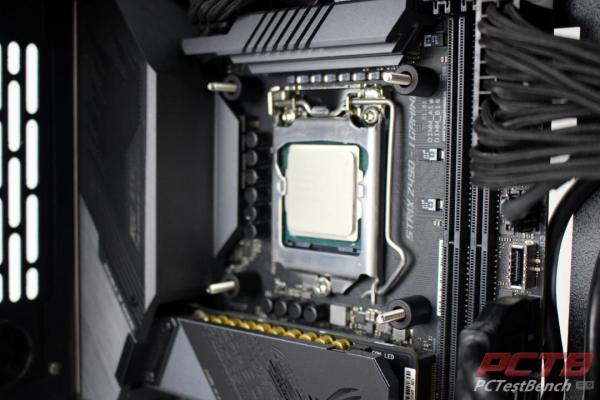
On the front, 4 plastic spacers are installed, one on each protruding stud.
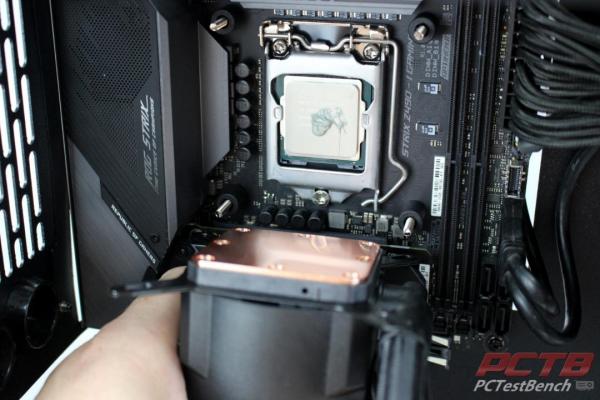
A little blob of included thermal paste and the removal of the protective film on the cold plate are next.
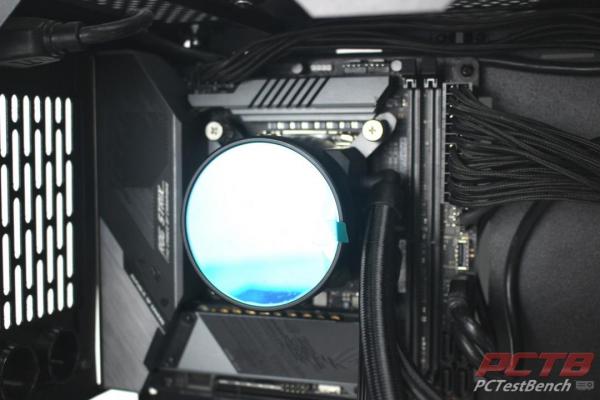
The cooler goes on easily with 4 thumb screws holding it in place.
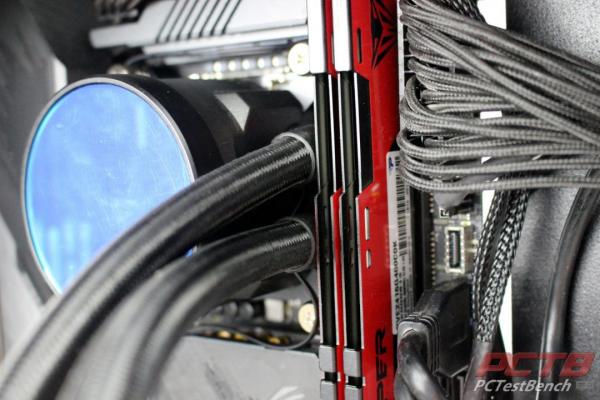
The ToughLiquid ARGB Sync touches our ram kit when installed. It’s close, it is touching, but it’s not putting pressure on the closest stick so there are no issues here.
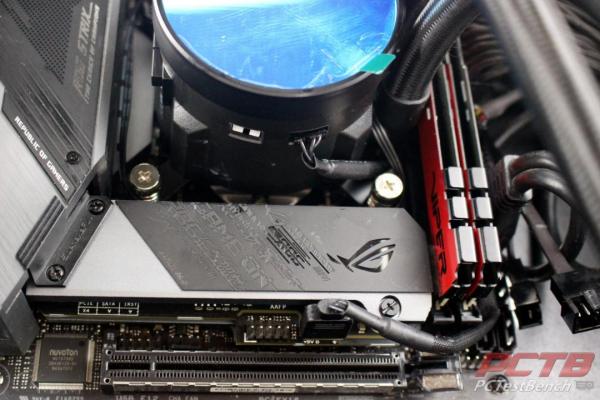
Since we have an ARGB compatible motherboard, we’ll connect the ARGB Sync cable and run it down to the ARGB header o the motherboard.
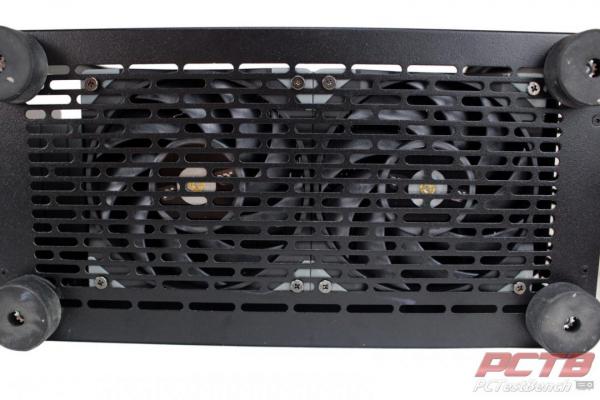
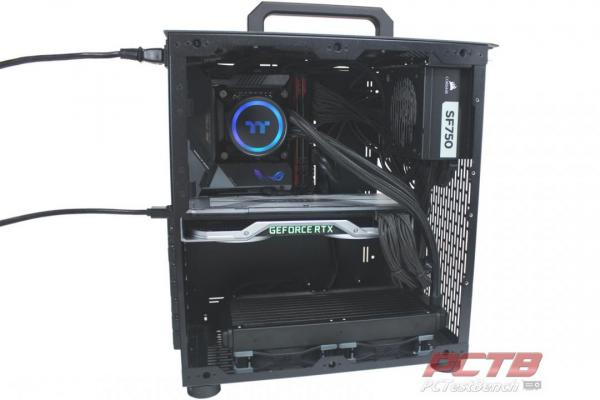
In our particular case, we’ll be installing the radiator on the bottom of the case, on top of the fans that will push air up through the radiator from under the case.
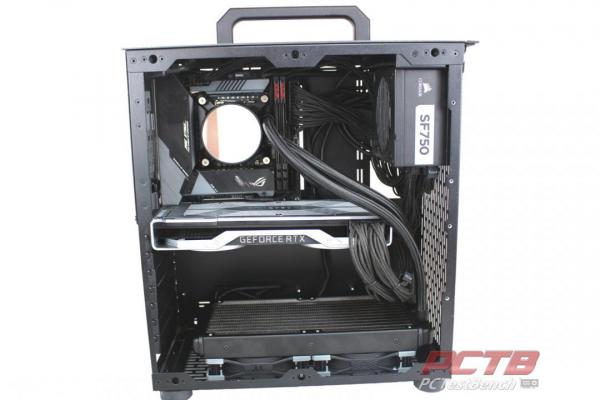
This leaves us plenty of room to install our GPU. The ToughLiquid Cooler is filled very well with no noticeable air in the loop when moving it around or running, so installation like this isn’t going to hurt anything. You’ve probably seen the extensive coverage on this subject recently online, and while in general, it is true, it’s not an issue here with how full TT fills their coolers.
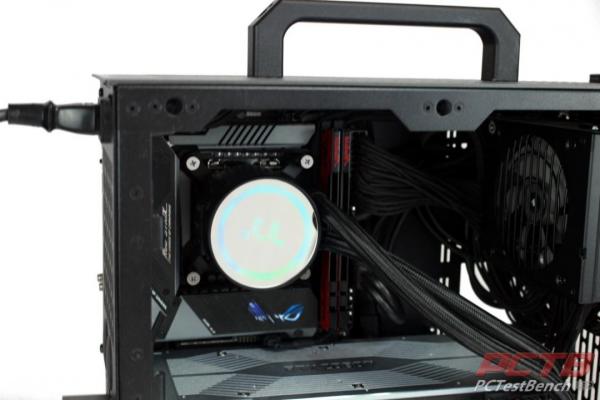
When powered on, We noticed our TT logo was just a little off….
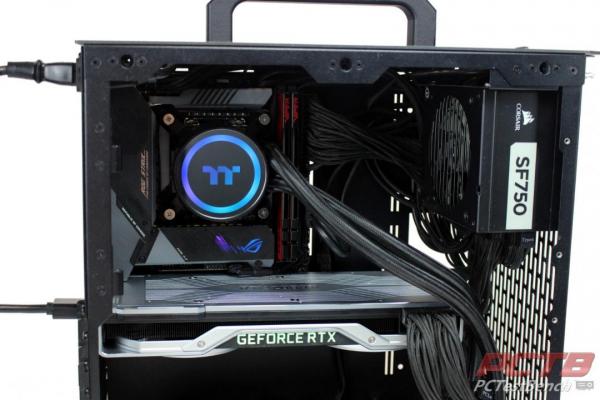
Thankfully, you can just rotate it around any way you want to make it look correct.
Testing
Testing was conducted at an ambient temperature of 22C or 72F. Testing is half an hour of an OCCT stress test, and the temperature is logged with HWiNFO.
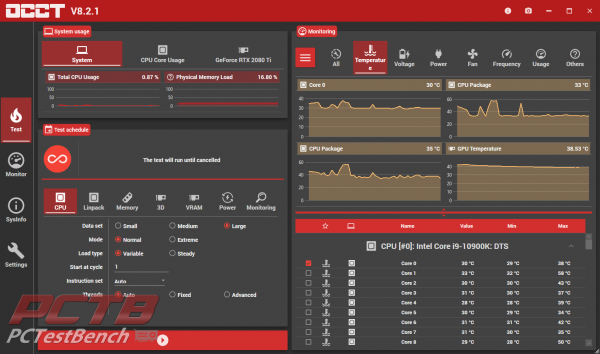
Before we start a stress test, we let the system idle for about an hour so that everything running in the background finishes up.
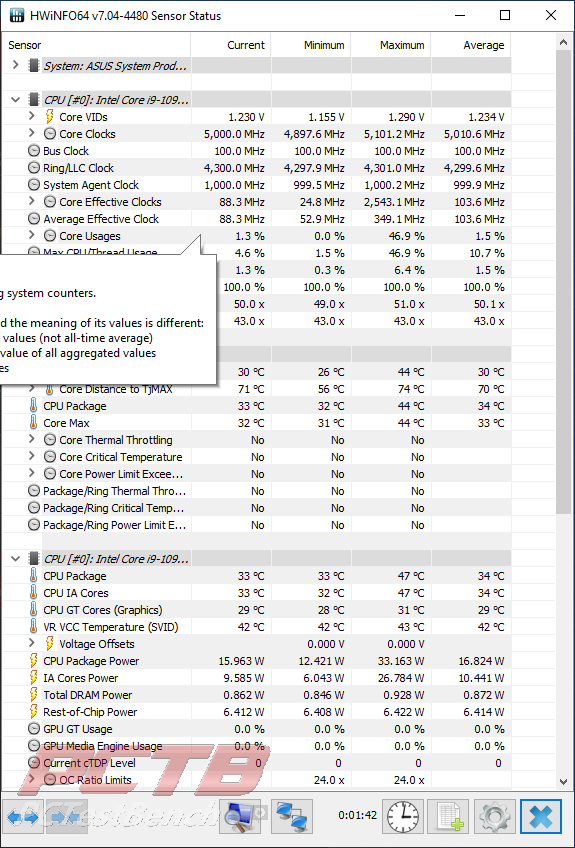
We see idle temps averaging around 34C. Not the coldest we’ve seen, but certainly quite acceptable.
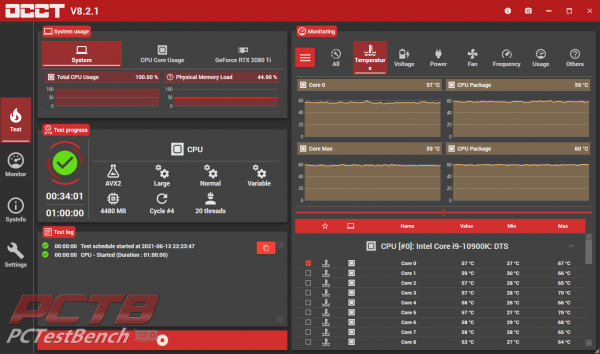
After running the stress test, we see the cooler reach equilibrium in only a few minutes and level out around 60C.
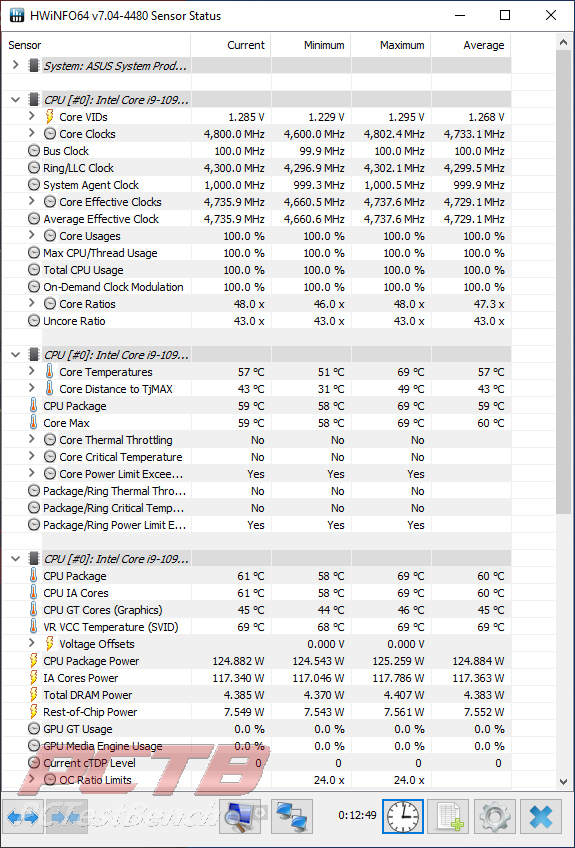
HWInfo shows up a maximum CPU temp of 69C, with an average of just 60C After a long run, our System settles in at 125W of CPU load.
Final Thoughts & Conclusion
Thermaltake’s ToughLiquid ARGB Sync is one of the best performing All-In-One liquid cooler’s we’ve tested. Intel’s Core i9-10900k is a 10-core monster that can easily peak at over 250 Watts and is known to do anything but sip power. The fact that Thermaltake keeps it under 70C at all times is quite a feat and holds it at a very respectable 60C on average.
Installation is very easy and only takes a few minutes. It’s pretty apparent that our 125W load isn’t much of a strain on the ToughLiquid and there is plenty of headroom left for overclocking or a more powerful processor if you find one.
We like that the ToughLiquid ARGB Sync can sync up with your system or stand entirely on its own. It gives the end-user a lot of flexibility without having to worry about whether they have the correct RGB header or have enough fan headers. If you are in the market for good cooling, Thermaltake’s ToughLiquid ARGB Sync should be high on your list. Remember it comes in 280mm and 360mm sizes as well if you have a bigger case to fill or just need a bit more umpf.

[taq_review]